 Sign In - iDONATEpro CRM
- Set Password for First Sign In
Online Calls - Separate Sign In for Candidates and Clients Making Calls Only
Update PassWord & User Info
-
Click on your User Name in use Upper Right
Web Browsers
Use Application Grade Web Browsers:
- Google Chrome
- Safari (Apple/Mac)
- Firefox
- (Microsoft Edge, Opera, Internet Explorer and others can have problems)
AI Writing & Browsing - Turn Off
Browser Extensions and applications that read every piece of text on your browser will slow down iDONATEpro and your Web Applications that load a ton of Data.
(They are also capturing your data - that is why they are Free.)
We suggest turning them Off or Removing them.
Turn Off:
- Gramarly
- Gemini in Chrome
Move Quickly & Don't get Stuck!
Let us know if you have any questions or if we can be of Help.

Help Bot - Lower Right
- How-To Articles and Step by Step
- Get In Touch / How can we Help?
 User Guides
- Tabs on far left of each Section
- Section Overviews and How-To's
- Default On / Off Toggle
 Email Support: Support@iDONATEpro.com
iDONATEpro Sections
Contacts
Go to Contacts Section in iDONATEpro
 Contacts Overview
Go To Contacts Overview & How To's
Unlimited Contacts
- No Additional Fees for Storage
Contact Types
Individuals, Companies, Firms, Organizations, PACs, Super PACs, Candidate Committees,
Lobbyists, LLCs, Small Donor Committees, Party Committees
Search Contacts
Name, Email, Phone, Address, etc.
Look Up Contact Info from Contact Details
Pictures, Bio's, Phones, Emails, Giving History
Find Contacts
Go to Find Contacts Section in iDONATEpro
Find Contacts Overview
Go To Find Contacts Overview & How To's
Find Contacts in your Account (Query) based on any metric
- Add Find Results to Groups (Lists), Calls, etc.
Groups
Go to Groups Section in iDONATEpro
Groups Overview: Contact Lists, Tagging/Flagging, Categories, etc.
- Groups of Contacts: Lists, Categories, Tags, Email Lists, etc.
- View Groups of Contacts in List View & Click into Contact Detail
- See which Groups each Contact is linked to from their Profiles
- Groups are Communication Email Lists when Enabled
Events
Go to Events Section in iDONATEpro
Manage Events Top to Bottom across Unlimited Campaigns/Clients
- Co-Hosts / Host Committee
- Link Calls
- Link Groups
- Link Communication Emails
Calls & Meetings
Go to Calls & Meetings Section in iDONATEpro
Prep & Deliver Candidates and Clients with Calls and Meeting Briefings
Online/Mobile Calls, PDF Call Sheets, PDF Meeting Briefings, Export
Communications
Go to Communications Section in iDONATEpro
- Send Email from Multiple Campaigns
- Campaign Specific Email (Send separate Emails per Campaign)
- Open, Click, Email Verified per Contact, Campaign
Financials
Go to Financials Section in iDONATEpro
- Pledges Find
- Donations Find
- Bundler Commitments / Leadership Teams
- Batches / Caging Checks
Campaigns
Go to Campaigns Section in iDONATEpro
- Campaigns / Clients / Data Sources
- Work with and Manage
- Unlimited Campaigns, Clients, Data Sources and Prospect Lists - included
Data
Go to Data Section in iDONATEpro
Data Driven, Personalized Experience to move your Campaigns & Clients forward!
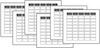
Import Service - Upload Spreadsheets
Import Service - Import & De-Dupe Data for You
Import Spreadsheets
Import Contacts, Donations, Events, Calls, etc.
Prep Files for Import
Import Spreadsheet Data
De-Dupe / Merge Contact Records
Integrations
- Pull Donations & Data from Online Contributions
Integrations Overview
De-Dupe - Contacts
De-Dupe / Merge Duplicate Contacts - No Data is Lost
De-Dupe / Merge Contact Records
Admin
Go to Admin Section in iDONATEpro
Admin Users Only
- Account
- Plans
- Users
- Billing