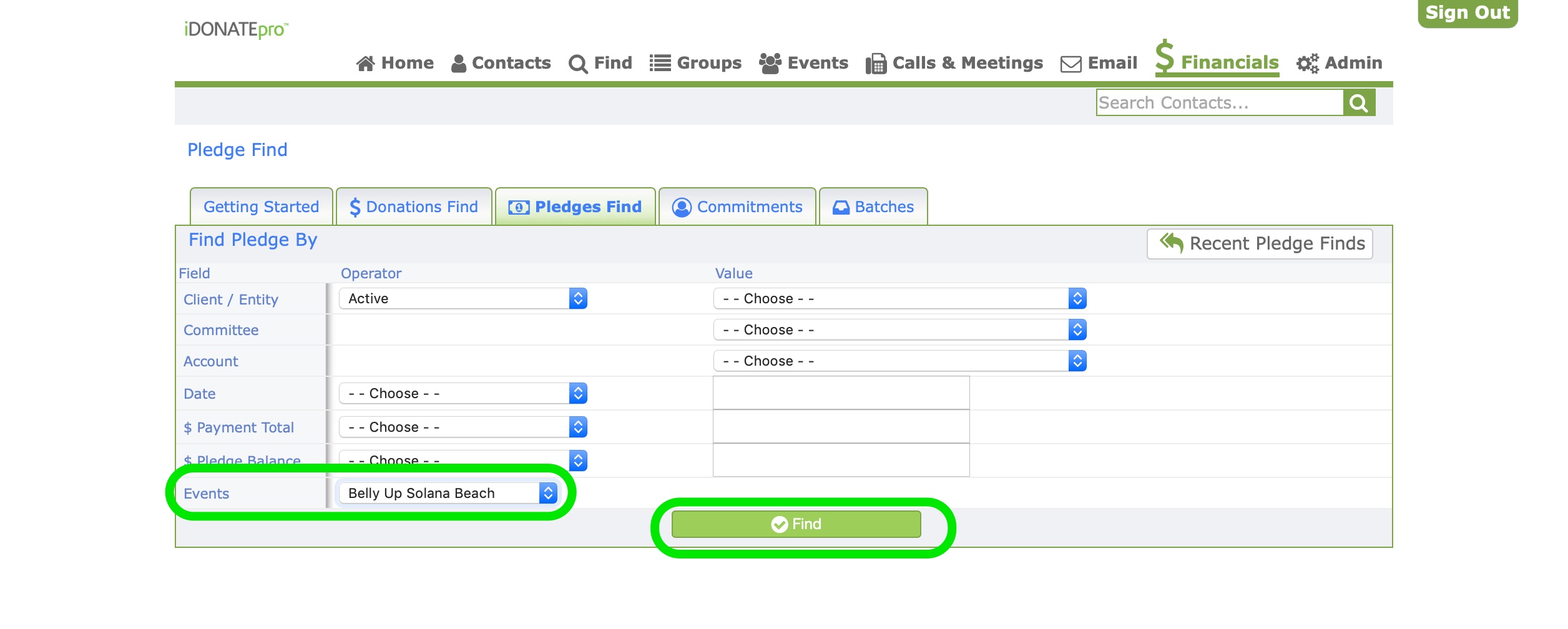
1. Click on the Pledges tab in the Financials section

2. Search Pledges by filling in any of the blank spaces. Click on the green Find button.
3. Click on the Pledges Export button on the top right.

4. Click on the Save File button or the Open with Microsoft Excel button. Click the blue Ok button when done.

Once you have Exported the Pledges Report Excel you can View, Print, Save or Email the Pledge Report.
